What Gmail's Inbox means for email marketing
Inbox was launched by Google in late 2014. Originally an invite-only app, it was the first update to the nearly 10-year-old Gmail. Lucky for us, the app is now open to anyone with a Gmail address, but what does this mean for email marketers around the world?
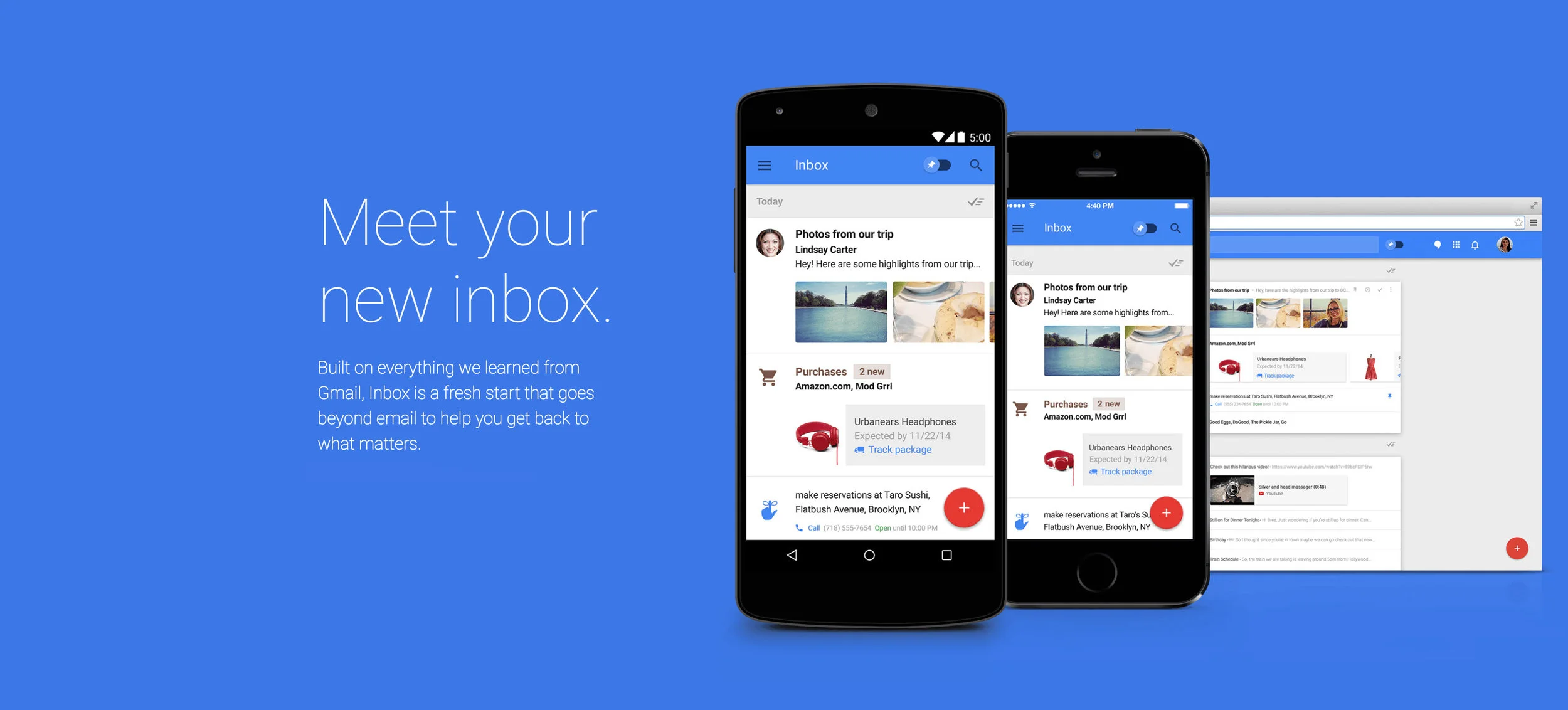
Key features
The pioneering concept takes best-practice ideas from features like Google Now (swiping ‘card’ style layouts) and inspiration from Eric Schmidt’s rule of ‘be responsive’ for email - that is to say, respond to emails quickly and set yourself reminders. Inbox is currently competing with the likes of iOS app Mailbox - owned by Dropbox - and is constantly looking to improve upon its ease of use. Here are a few features worth noting:
GROUPING & BUNDLES
Google bundles all emails by date and groups them into the following categories: purchases, finance, social, updates, forums, promos. Because of this, brand promotions will likely fall into the ‘Promo’ category, making email marketing much harder for brands.
Bundles float freely in a user’s Inbox, which is an improvement on the way Gmail groups emails into tabs - it’s very easy to ignore tabs. In Gmail, promo emails aren’t immediately obvious in the main inbox screen because the user first needs to open the group tab. Whereas, in Inbox, the level of prominence given to promotions depends on how the recipient has interacted with the communication previously. For example, if they weren’t engaged before, promotions will be de-prioritised; if they were engaged, bundled promos will be nice and prominent.
HIGHLIGHTS
Inbox now shows users the most important info available (e.g. flight status, purchase confirmations and attachments) at a glance by creating preview cards that contain the pertinent information. On account of the Highlights feature, users can see and cycle through images/video without even opening an email. Inbox also allows the user to create their own highlights by ‘pinning’ an email.
SNOOZING & REMINDERS
Inbox has created a snoozing feature, helping users to prioritise messages. In addition to snoozing, users can set reminders for themselves - this may prompt them to respond to emails that they would otherwise put off. What’s more, users can set location-dependent reminders (only triggered when they reach a certain proximity).
UI
Google has completely focused on the mobile experience, acknowledging that this is the main device used to view and respond to emails. Users can swipe to snooze, archive or delete emails within Inbox but unlike Gmail, all replies are handled in a single screen - a huge improvement.
Adapting to change
As there had been so few updates to Gmail in over a decade, it was vital Google listened to their users when designing Inbox. But, what do these changes mean for brands wanting to target consumers and how can any potential obstacles be overcome?
KEEP IT PERSONAL
Inbox will be scanning emails and if it picks up on any generic language within an email, it is likely that it will be bundled with other promotions.
Brands must focus on the personalisation of emails, making sure that more personal language is used. In order to engage the user, language must sound less like an advertisement and more like an email from a friend or colleague.
SPARE THE LINKS
Inbox tries to filter friend emails from company/brand emails and, in order to do that, it monitors the language used. It looks at the number of links and images in an email, as well as the placement of them. A link or two is, of course, a common practice in personal emails but 15 links to different pages of the same website indicate that the email is a promotion.
ASK FOR HELP
Inbox is keen to serve its users; it wants to know what areas can be tailored and improved. It allows users to create their own rules around how emails should be grouped. Brands should consider linking to the relevant Google page with instructions on how the user can move the email away from the promo bundle and ensure it always show up in their main inbox. The Inbox app will then start to learn which emails the user like to see grouped together.
BREAK IT DOWN
Inbox is a very sophisticated platform, and brands need to be equally as sophisticated in overcoming any obstacles that it poses. Brands should look at building a separate email list for those with Inbox by Google and those with standard mail clients. In order to do this, brands can include ‘Click Here if you want emails that have been optimised for Inbox by Google’ within the email. This allows the sender to take advantage of key features like Highlights (where we know attachment previews will show up) for those using Inbox.